Dahlia
and the
Forest Quest
Description
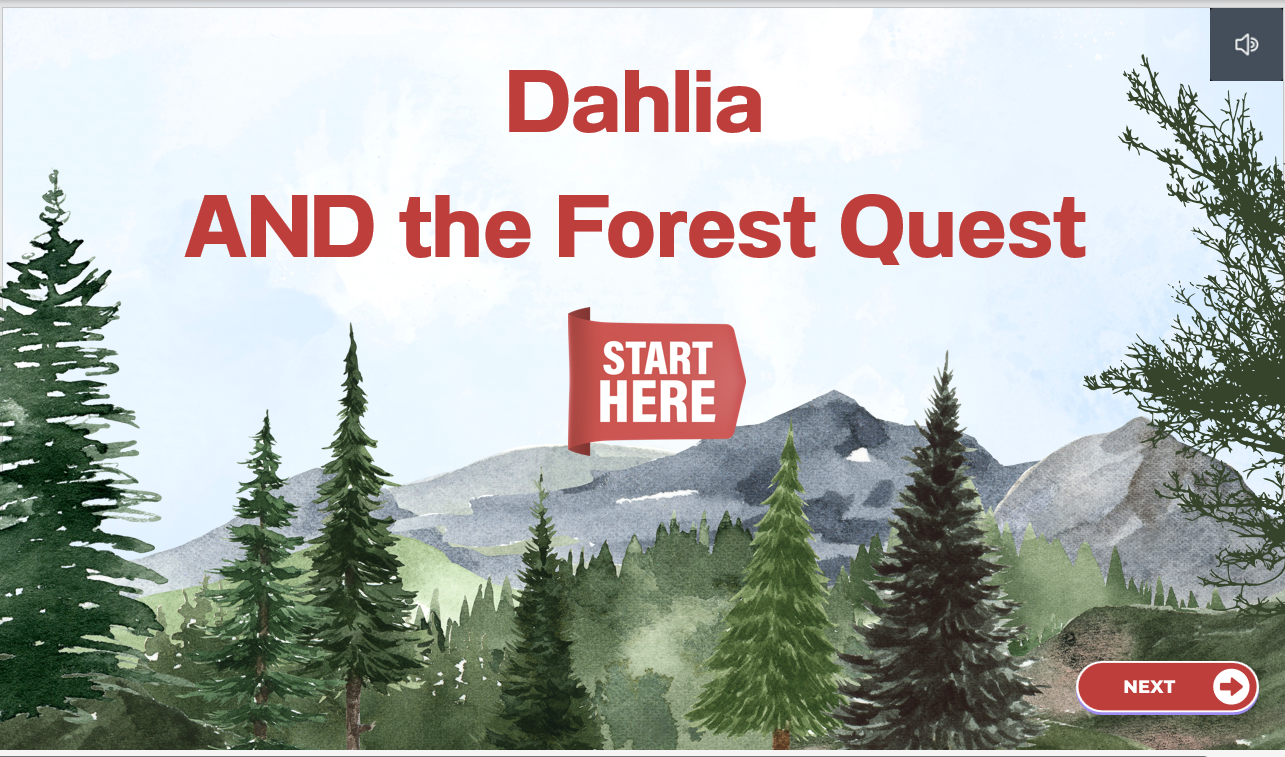
Dahlia and the Forest Quest is an interactive learning game that combines storytelling, problem-solving, and gamification to create an engaging educational experience. Players guide Dahlia through a mysterious forest in search of her missing cat by uncovering clues and answering questions that unlock new areas of the adventure. As they progress, learners earn achievement badges that reward their success and encourage continued exploration, demonstrating how interactive challenges and meaningful rewards can increase engagement and motivation.
Year
2024
Type
Game
-
Role-Solo designer and content creator
Context-The project was created as part of the class EME 6415, a class that focused on multimedia creations.
Conditions-The assignment was to use a PowerPoint to create interactive multimedia instructional game to reinforce learning on any topic of choice. The game had to be original, meaning it cannot simply incorporate an existing game and its rules into the PowerPoint game. The project had to include a series of design elements that can be found under the design elements section.
Scope-The project seen here was the final project that was delivered for the assignment. It was developed over a series of two weeks.
-
The target audience for this game is anyone who wants to know more about the outdoors. It was particularly made for girl scouts in mind since they need to know elements of the outdoors. At the end of the game it mentions getting rewards from your scout leader for earning badges, but this could be hypothetical for the general audience.
-
The assignment were to include the following design features:
The introduction presents clear objectives so the player knows what needs to be done to win the game and uses animations and audio (e.g., narration, sound effects, background music) to gain players' attention.
Provides an introduction that presents clear instructions on the rules and on how to play the game using conversational language (personalization principle).
Instructions presented in the text are accompanied by supporting graphics (multimedia principle) to improve comprehension. Complex graphics that require explanation are explained with narration instead of text (modality principle).
Tests players' knowledge & skills on the target topic using tasks that are not whimsical or tangential but, instead, are to an extent congruent (coherence principle) and similar to the tasks where the target knowledge & skills are applied in the real world.
The game must explicitly present a minimum of 10 question slides that the player must perform to complete the game.
The game is complex/challenging in that the player can choose to go to or return to different slides to increase or decrease the challenge/reward. The auto-advance-to-next-slide on mouse click is disabled on all slides.
Uses triggered animations to immediately present feedback and/or the consequences following the player's actions and presents them adjacent to and in close proximity to the player's responses and questions (contiguity principle) - not in a separate slide.
The game has some surprises, novelty, or element of chance.
Button navigation is intuitive, uniform in visual design, functional, and consistent to give players a sense of control.
Engaging aesthetic visuals are used in all slides from the introduction, game, and end-of-game slides.
The game uses narration, background music, and/or sound effects consistently throughout the game.
When narration is used in the game, the narration does not simply repeat the text on the screen (redundancy principle).
-
Communication Skills
Communicate effectively in written, oral, and visual formats.
Throughout the game, communication in written text tell the reader about the story, to ask questions, and to tell directions. Sound buttons are embedded throughout the game in the form of both voice and sound. Graphics are used throughout the game to accompany the story telling in the text.
Produce clear, concise and grammatically correct messages.
No grammatical errors were reported n my project
Produce visuals that adhere to the principles of message design.
The visuals used in the game used many principles of design which can be found under the ‘Design Principles’ tab. These include multi media principle, personalization principle, modality principle, coherence principle and contiguity principle
Deliver effective and engaging presentations
When given the usability test, the feedback was very positive in the direction of effective and engaging
Apply effective questioning and facilitation techniques.
When given the usability test and asked about the questions and the ease of understanding, the users say they were effective and easy to follow.
Analysis Skills
Analyze learning and performance problems to recommend appropriate solutions
This game is in response to the need to review material for the girl scouts. They were getting their badges and needed to review. This was the solution.
Determine subordinate and prerequisite knowledge and skills.
By being in the girl scouts, I have already know what they have learned. I took that into account when making this game.
Design Skills
Apply learning theory and systems thinking to design practice.
The lesson followed Gagne’s 9 stages of learning, even though some of them were not included. It also follows theories of engagement and learning where learning is more memorable when attached to something fun, like a game.
Design a curriculum, program, or learning solution.
This is a learning solution that meets the need of the girl scouts who need to review for an exam. The design and game is geared toward their age.
Work with subject-matter experts and other team members to design interventions.
I asked the girl scout troop leader what they needed to know for the exam. I designed questions around this knowledge.
Align outcomes, strategies, and assessments.
The learning strategies were consistent throughout the game. I ask a question on knowledge that they had learned previously, and they get a reward if they answer it correctly. the outcome is aligned to the questions and the rewards.
Generate appropriate instructional strategies and activities.
The game uses storytelling, problem-solving, and game-based learning to actively engage learners. Interactive challenges and clue-finding activities encourage critical thinking while maintaining learner motivation.
Apply interaction design principles.
Learners interact with the game through clickable elements that make sounds, branching pathways, timers that move, immediate feedback, and badge rewards. These interactive features create an engaging and intuitive learning experience.
Design assessments to measure learning and performance.
10 knowledge checks are embedded throughout the game as learners answer questions to unlock new areas of the forest. These formative assessments provide immediate feedback and reinforce learning before learners progress.
Identify the scope and sequence for instructional solutions.
The game is organized into a logical sequence of increasingly challenging tasks that guide learners toward the final objective. Each activity builds upon the previous one to support continuous learning.
Use visual design principles appropriately.
Consistent colors, graphics, layouts, and navigation create an organized and visually engaging learning environment. Visual elements are used to direct learner attention and reduce cognitive overload.
Select, modify or create effective design models.
Learning objectives were first identified followed by the creation of the question. The design of the game was then modeled to reflect the tone and content of the questions. This ensured alignment throughout the game with objectives, content, and design.
Provide a rationale for design decisions.
A rationale accompanied the game on choices such as style, content, graphics and layout.
Technology and Media Skills
Select and use appropriate technology and media for specific outcomes.
An interactive multimedia game was selected because it effectively supports learner engagement, motivation, and active participation. The technology aligns with the instructional goals by creating an immersive learning experience.
Develop instructional materials using a variety of media (e.g., print, audio-visual, multimedia).
The game incorporates text, graphics, animations, interactive buttons, and digital badges to create a rich multimedia learning experience. These varied media elements appeal to different learning preferences and increase engagement.
Use technology correctly for professional communication purposes.
The project presents instructional content in a polished, organized, and professional digital format. Clear navigation, consistent messaging, and effective visual communication enhance the learner experience.
Use technology tools in the design process.
Technology such as PowerPoint, Canva, and audacity were used to create the graphics. Canva provided a variety of graphics to choose from which allowed for a polished and appealing product.
Project Samples
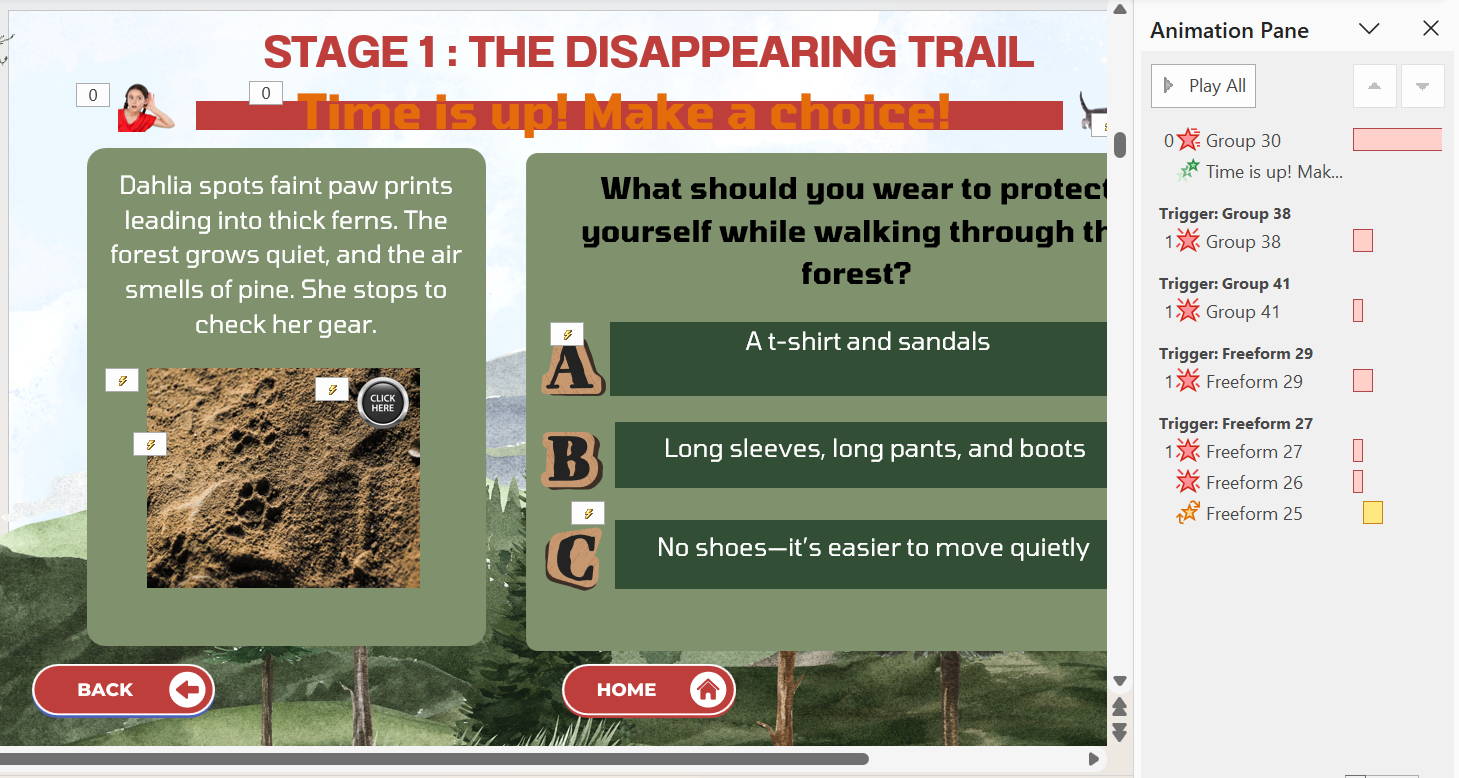
During the game, the player has a choice of choosing two roads, which adds an element of surprise and choice to the game. One path come with more risk, but also more rewards. The slide is interactive with Dahlia at the bottom of the screen speaking to the player “please choose wisely”. There is also sounds that occur when the “click here” button is clicked. Navigation buttons at the bottom of the screen take you backward or to the homepage at anytime. The design elements such as color and theme stay consistent throughout.
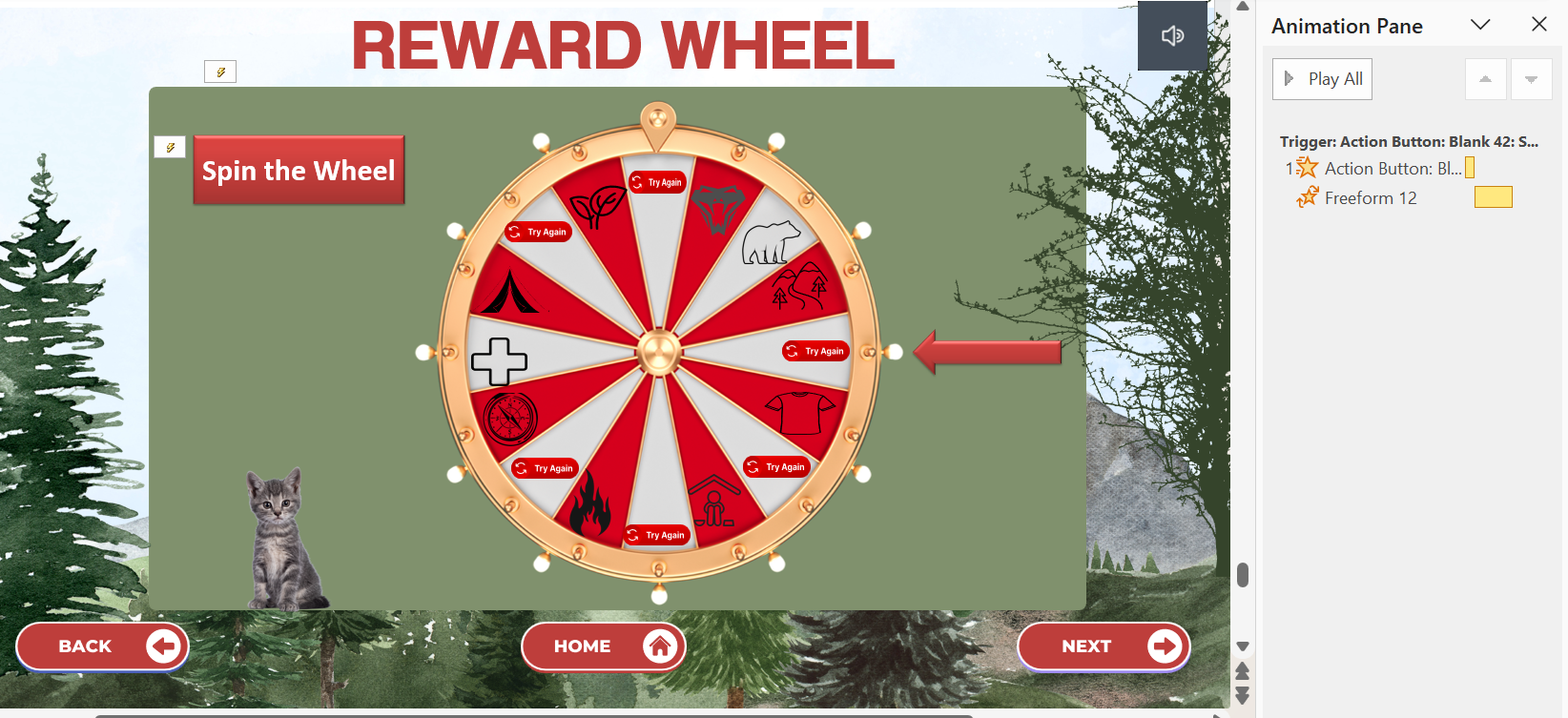
Throughout the game, there are a series of questions that the player has to answer correctly. To the left we see one of them. The slide has a number of animations which can be seen in the animation pane. These include a time bar at the top which reads “time is up” when it runs out. There is also a button that says ‘click me’, when clicked the picture disappears to give the reader a clue to the answer. When the picture underneath appears, a sound affect can be heard that goes with the picture. There are also sound effects that happen when the right and wrong answers are clicked. When the right answer is clicked, applause can be head and the slide advances to the next level.
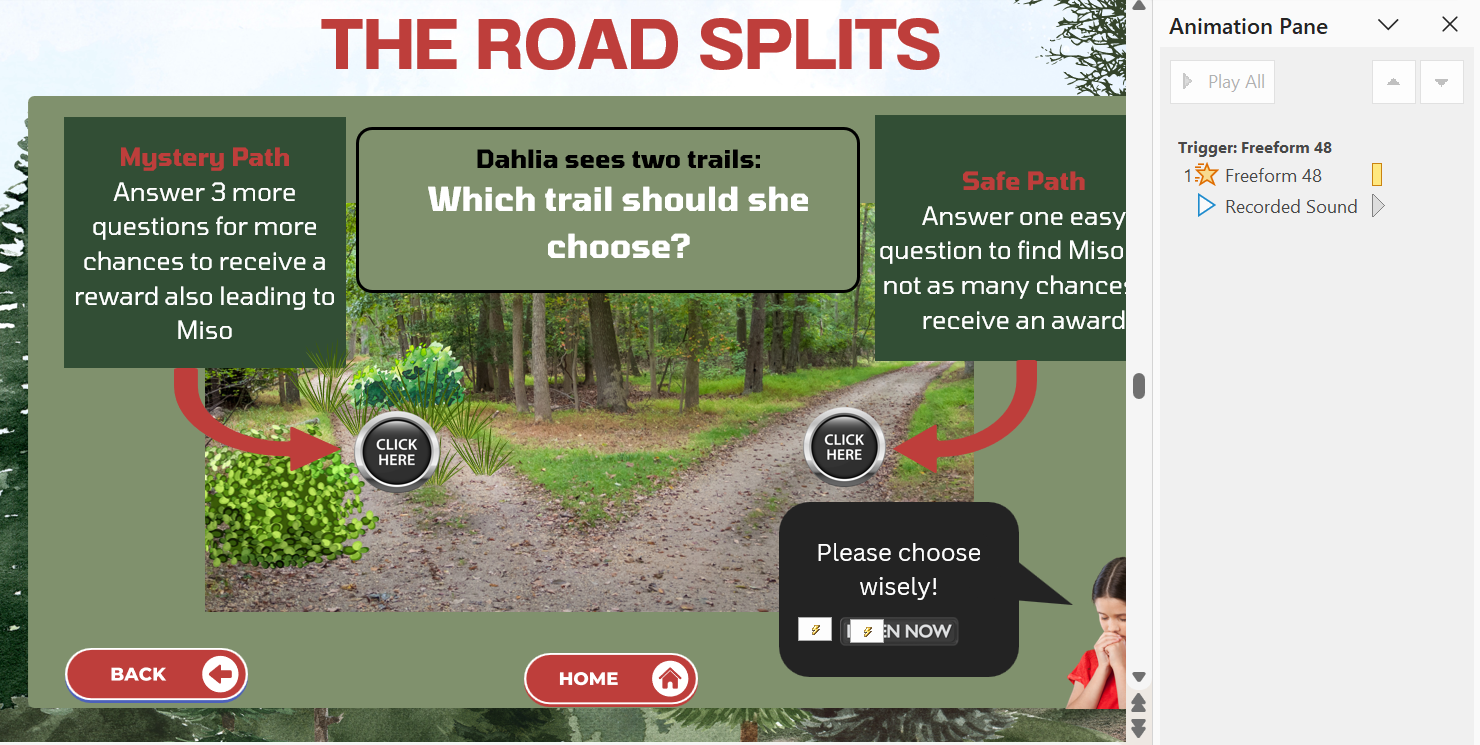
At the end of the game, the player will have earned a number of badges for answering the questions correctly. This is a wheel that they spin to win a prize, given to them by their troop leader. If they land on a badge that they have earned, they get the physical reward. In this slide, we can see the animation panel with the set animations. The wheel spins and a wheel spin sound occurs when the “Spin the Wheel” button is clicked. The style and design is consistent with the rest of the game.